In this article, you’ll learn how to set up and customize the latest child theme such as News25 Live , News25 Prime and News25 Breaking of the News 25 Pro theme, This guide will help you configure these settings to align with your site’s branding and functionality needs.
Setting up the News25 Live theme in News 25 Pro is simple since the primary differences lie in the Theme Type and Color Scheme. Let’s walk through these steps:
Setting Up Header Type
Before proceeding, ensure you’re logged into your WordPress Dashboard.
To Set up the Theme Type, follow these steps:
- From the WordPress Dashboard, navigate to Appearance > Customize.
- On the Customizer page, go to Header > Header Type.
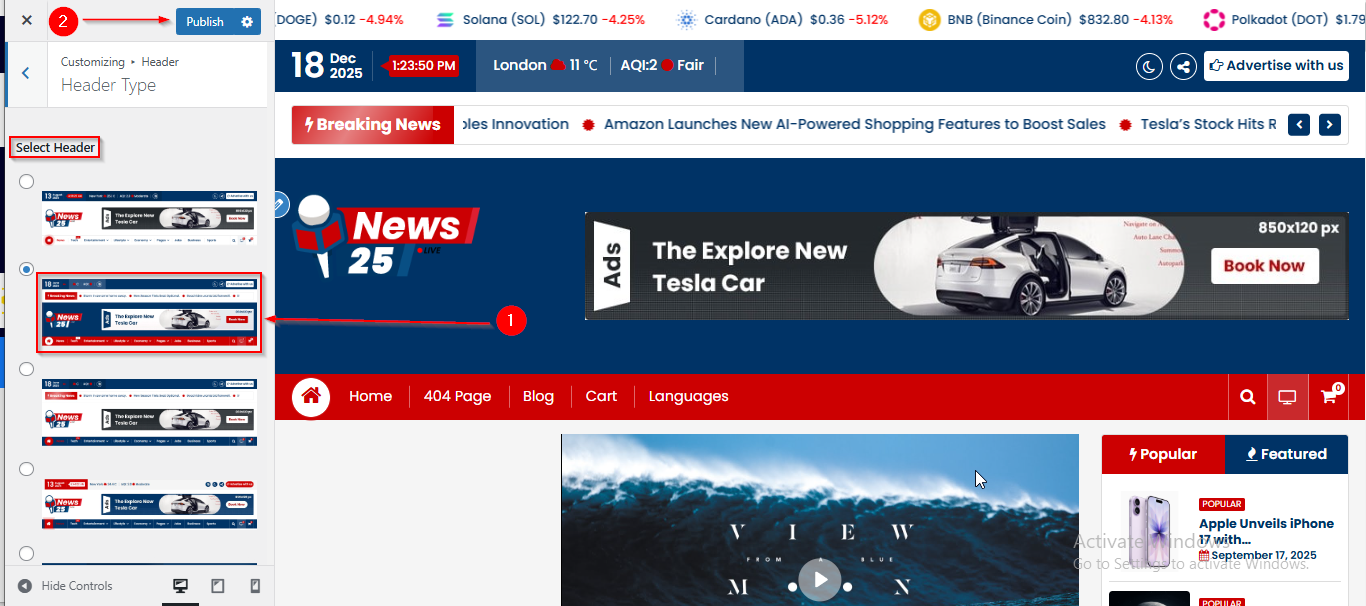
- Here select the Second number Header.
- Click Publish when you’re done.
Setting Up Theme Color
To Setup the Theme Color , follow these steps:
- From the WordPress Dashboard, navigate to Appearance > Customize.
- On the Customizer page, go to Style Configurator > Theme Color.
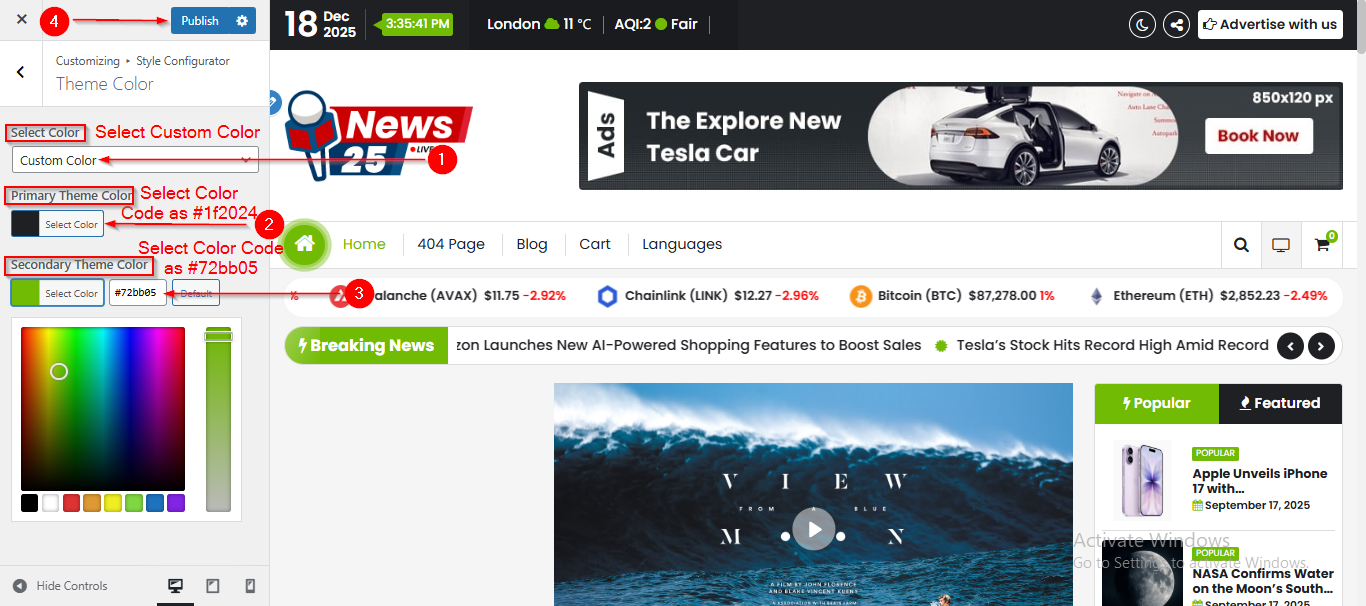
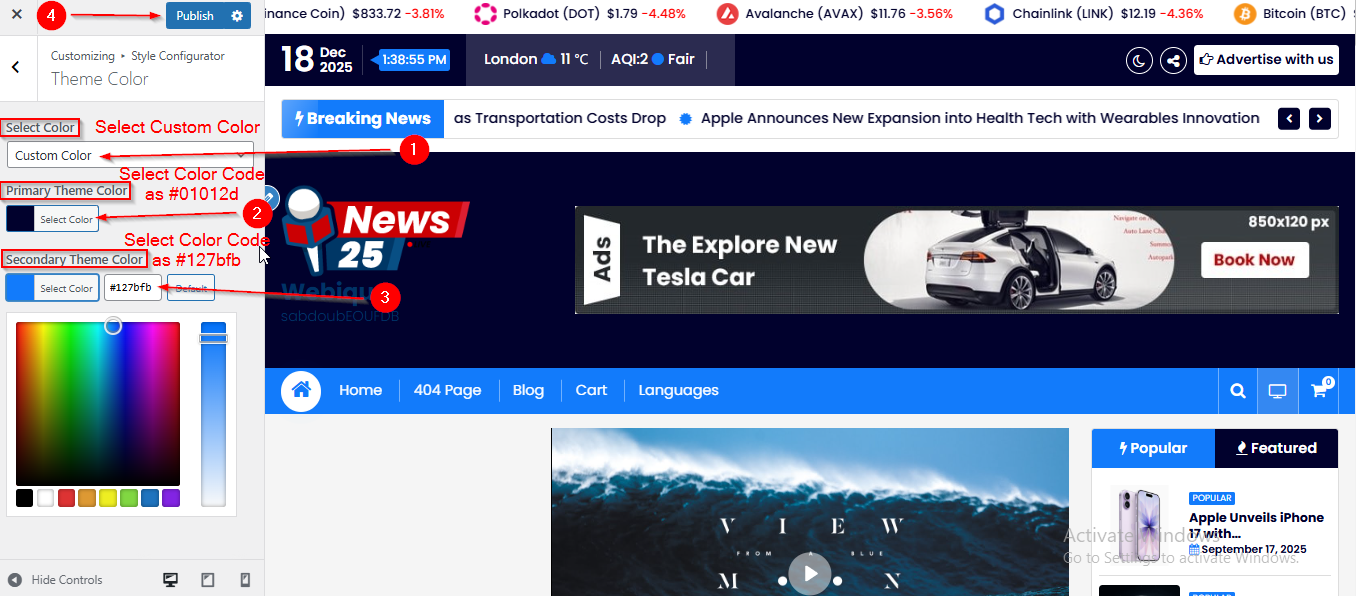
- Under Select Color, select Custom Color.
- In the Primary Theme Color section, enter the color code as #01012d.
- In the Secondary Theme Color section, enter the color code as #127bfb.
- Click Publish when you’re done.
Setting up the News25 Prime theme in News 25 Pro is simple since the primary differences lie in the Theme Type and Color Scheme. Let’s walk through these steps:
Setting Up Header Type
Before proceeding, ensure you’re logged into your WordPress Dashboard.
To Set up the Theme Type, follow these steps:
- From the WordPress Dashboard, navigate to Appearance > Customize.
- On the Customizer page, go to Header > Header Type.
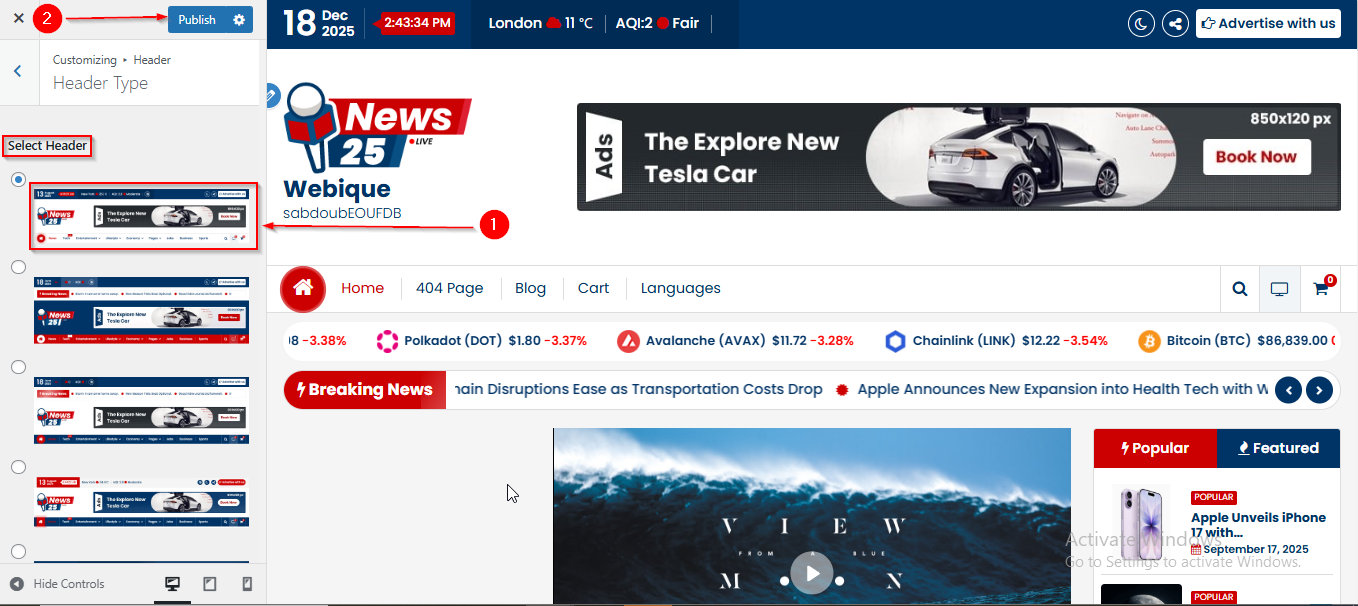
- Here select the First number Header.
- Click Publish when you’re done.
Setting Up Theme Color
To Setup the Theme Color , follow these steps:
- From the WordPress Dashboard, navigate to Appearance > Customize.
- On the Customizer page, go to Style Configurator > Theme Color.
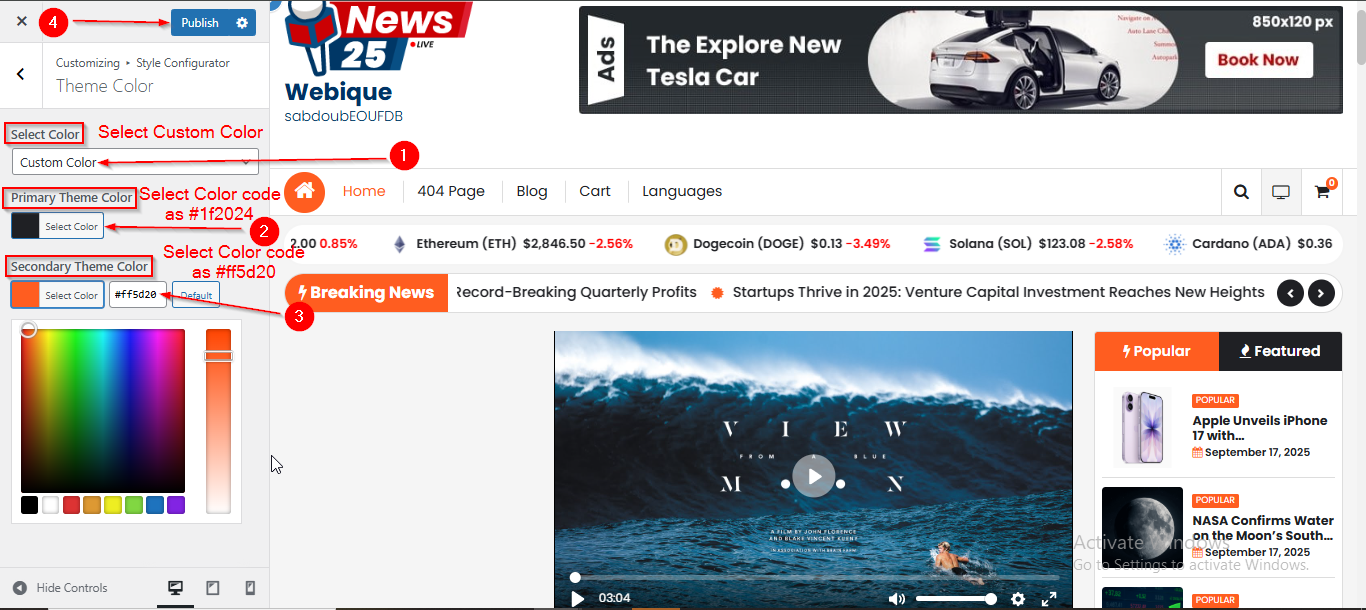
- Under Select Color, select Custom Color.
- In the Primary Theme Color section, enter the color code as #1f2024.
- In the Secondary Theme Color section, enter the color code as #ff5d20.
- Click Publish when you’re done.
Setting up the News25 Breaking theme in News 25 Pro is simple since the primary differences lie in the Theme Type and Color Scheme. Let’s walk through these steps:
Setting Up Header Type
Before proceeding, ensure you’re logged into your WordPress Dashboard.
To Set up the Theme Type, follow these steps:
- From the WordPress Dashboard, navigate to Appearance > Customize.
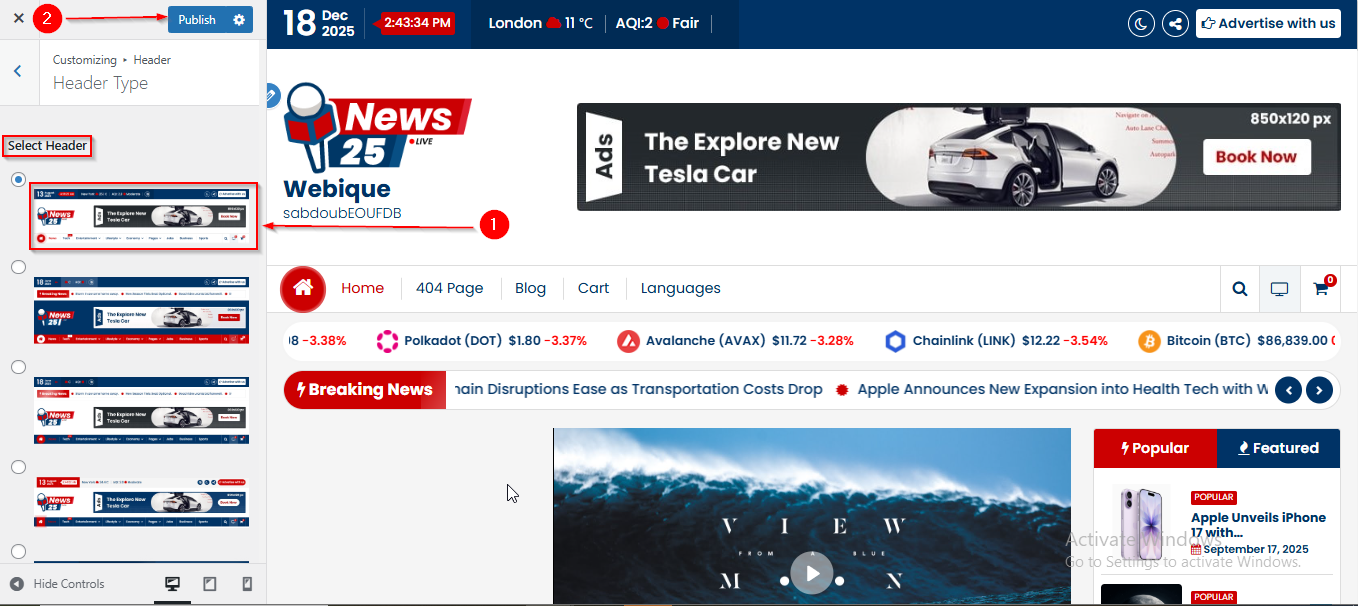
- On the Customizer page, go to Header > Header Type.
- Here select the First number Header.
- Click Publish when you’re done.
Setting Up Theme Color
To Setup the Theme Color , follow these steps:
- From the WordPress Dashboard, navigate to Appearance > Customize.
- On the Customizer page, go to Style Configurator > Theme Color.
- Under Select Color, select Custom Color.
- In the Primary Theme Color section, enter the color code as #1f2024.
- In the Secondary Theme Color section, enter the color code as #72bb05.
- Click Publish when you’re done.