In this article, you’ll learn how to set up and customize the Category Page of the News 25 Pro theme, This guide will help you configure these settings to align with your site’s branding and functionality needs.
Before proceeding, ensure you’re logged into your WordPress Dashboard.
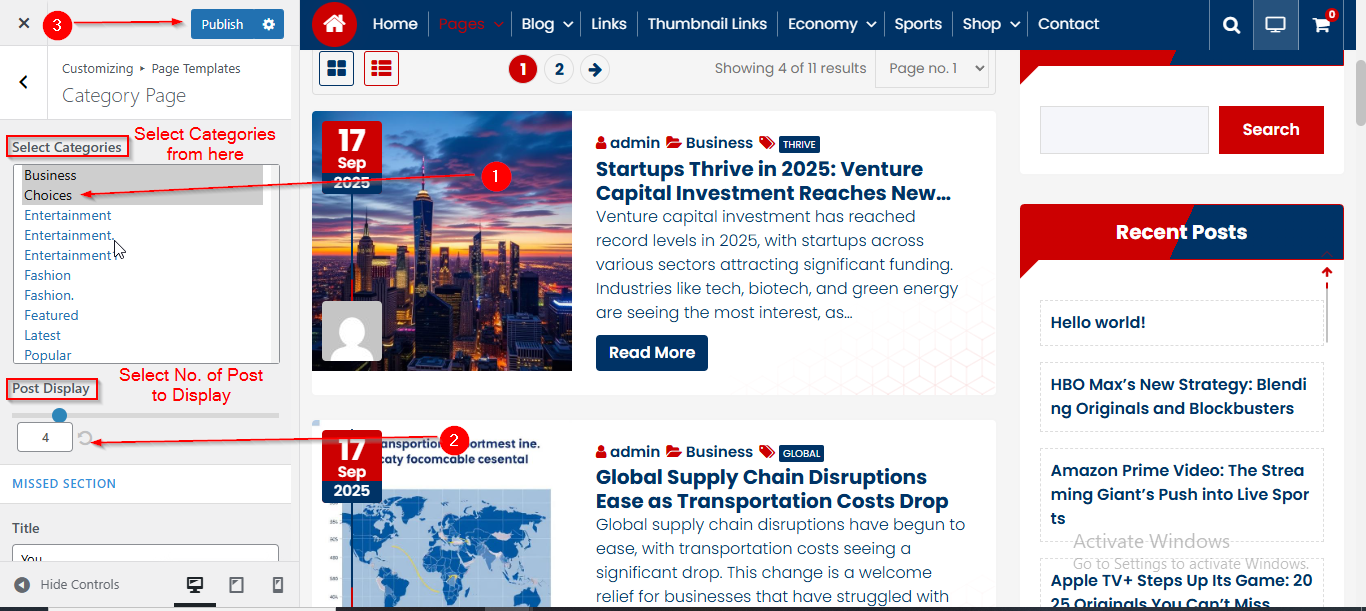
To manage the Category and Posts Display in Category Section, follow these steps:
- From the WordPress Dashboard, navigate to Appearance > Customize.
- On the Customizer page, go to Page Templates > Category Page.
- Here, select the categories from the Select Categories option.
- From the Post Display option, you can choose the number of posts you want to display.
- Click Publish when you’re done.
Before proceeding, ensure you’re logged into your WordPress Dashboard.
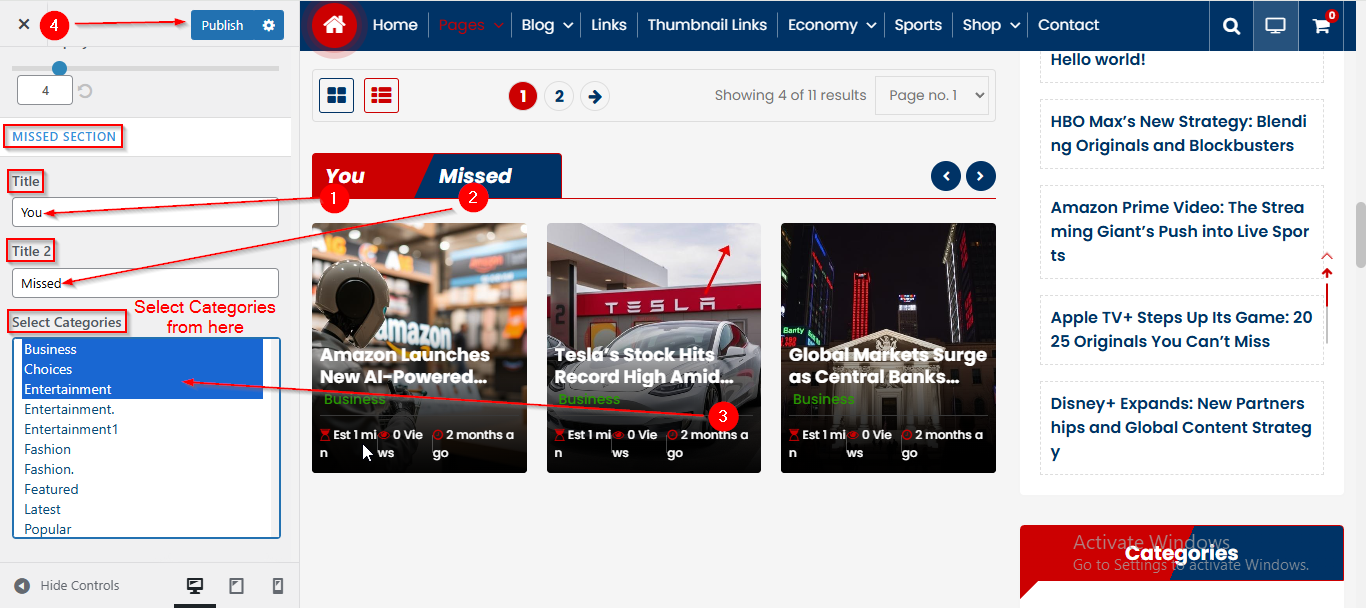
To manage the Title , Title 2 and Category in Missed Section, follow these steps:
- From the WordPress Dashboard, navigate to Appearance > Customize.
- On the Customizer page, go to Page Templates > Category Page.
- Scroll down until you see the MISSED SECTION.
- From here you can manage the Title , Title 2 and Select Categories.
- Click Publish when you’re done.