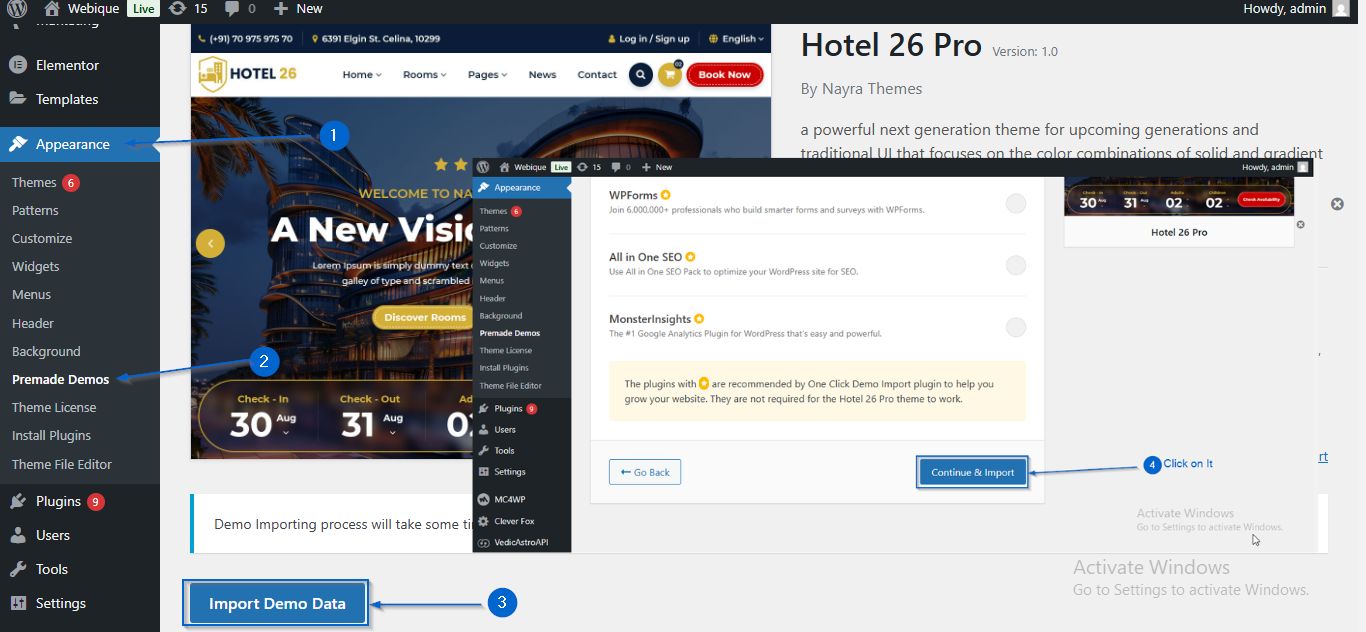
This article will help you get started with the Hotel 26 Pro theme.
Here, you’ll learn how to install and activate the theme, activate your license key, set up the homepage, and import the demo to make your website look like the demo.
Important:
- Make sure you are logged in to your WordPress Dashboard before following the steps below.
- Make sure you have the Theme ZIP file and License Key. If you don’t have it, follow these article:
Download Theme ZIP File Getting the License Key
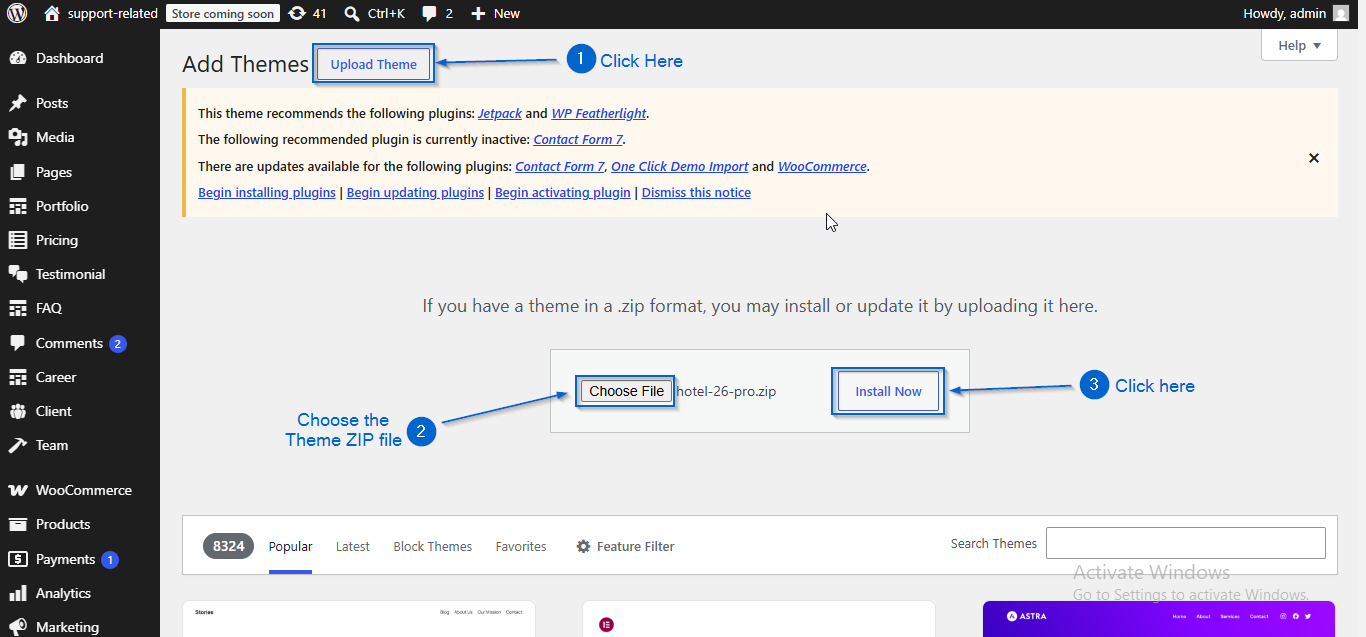
- Go to Appearance > Themes.
- Click Add Theme.
- Click Upload Theme.
- Choose the Theme ZIP file.
- Click Install Now.
- Click Activate once it is installed.
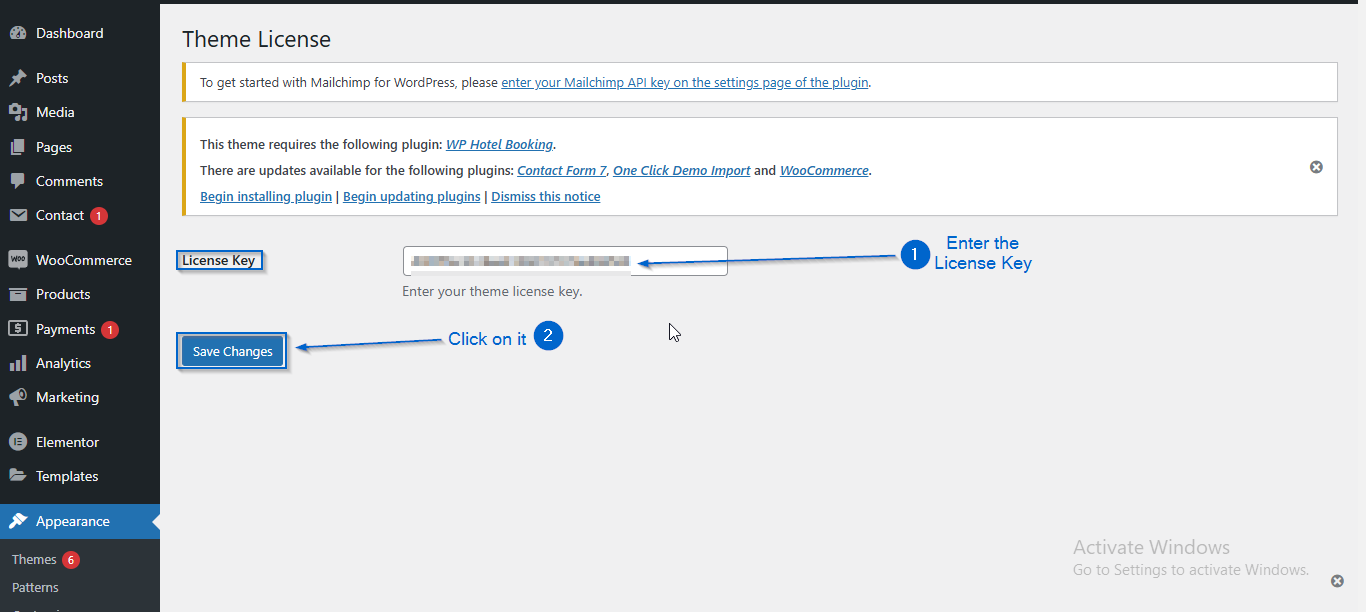
- Go to Appearance > Theme License.
- Enter your License Key.
- Click Save Changes.
(a) Creating the Home Page
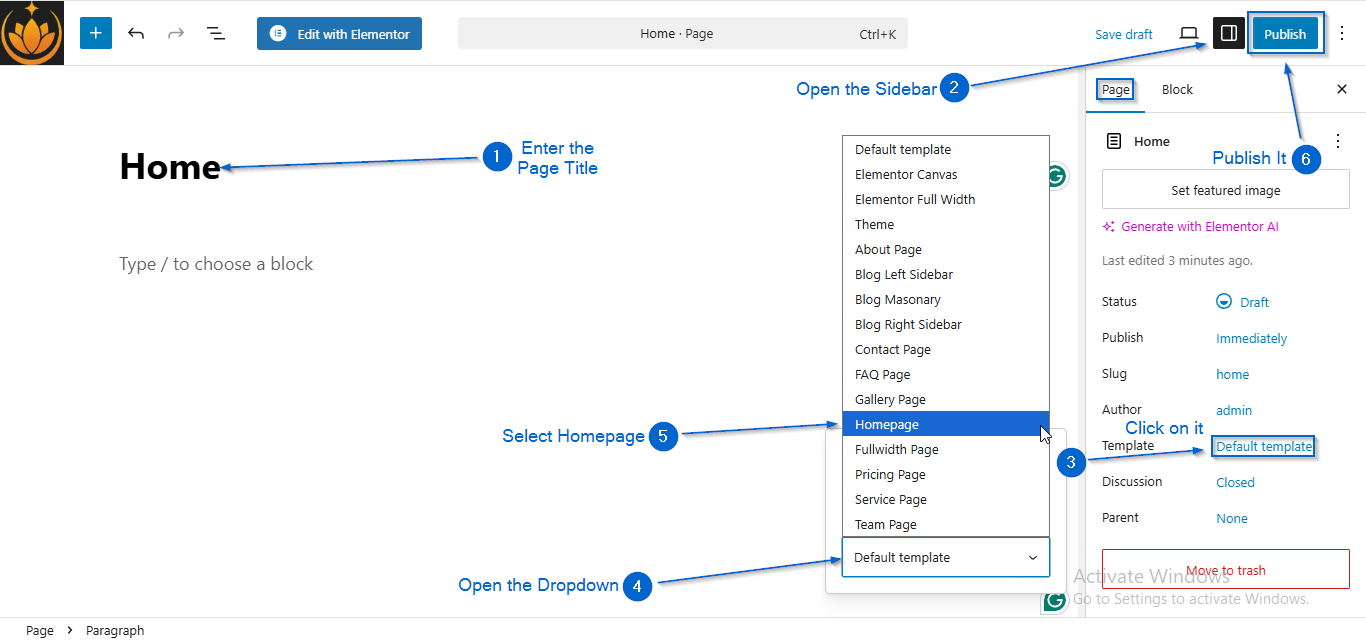
- Go to Pages > Add Page
- Enter the Page Title.
- Open Sidebar Settings.
- Click Default Template.
- Click Default Template dropdown.
- Select Homepage.
- Click Publish.
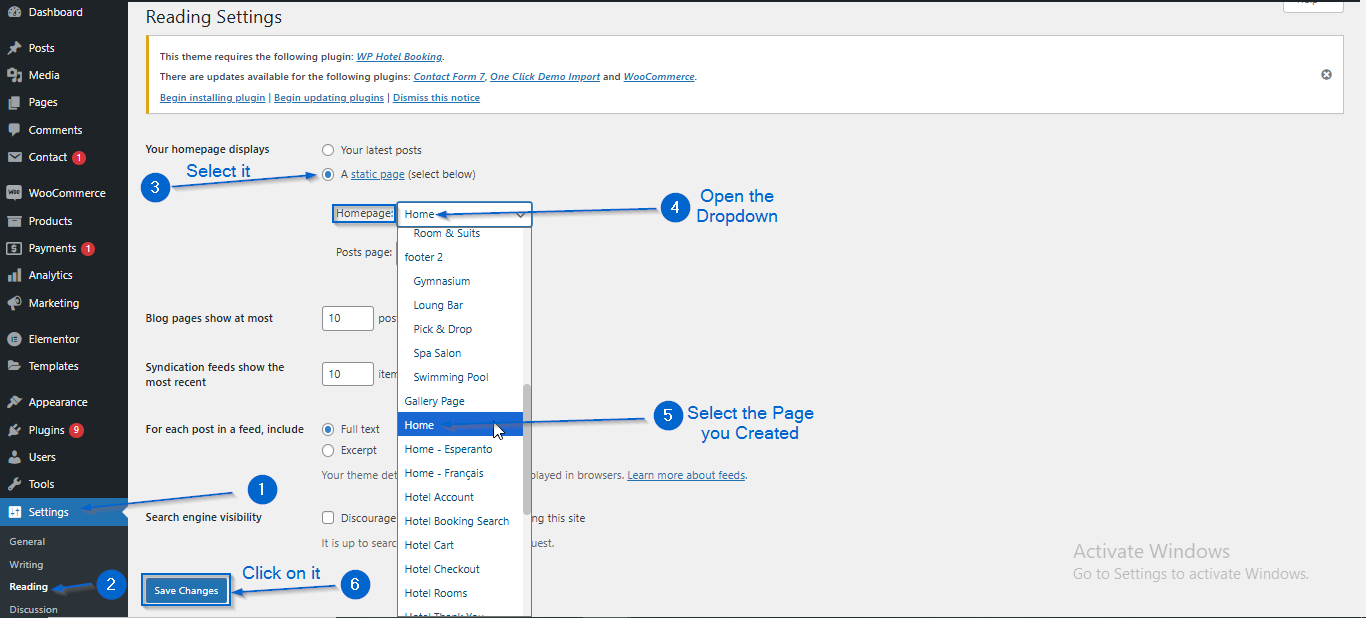
(b) Displaying the Homepage
- Go to Settings > Reading.
- Under Your homepage displays ,Select A static page.
- Open the Homepage dropdown.
- Select the page created in the previous step.
- Click Save Changes.
Important Information
- Importing the demo will erase existing data on your website.
- Use this option only if you want your site to look exactly like the theme demo.
- If you plan to customize the site based on your own preferences, demo import is not required.
- Before importing, make sure your existing customization data is cleared to avoid conflicts.
- You can use a Database Reset plugin to clear the database if needed.
Demo Preview:
Hotel 26 Pro Demo
Import Demo Data
- Install and activate the One Click Demo Import plugin
- Go to Appearance > Premade Demos
- Click Import Demo Data
- Click Continue & Import
- Wait for the import process to complete