
This section allows you to manage and customize the Service Section of your website.You can control the visibility, content, and layout using the available theme options.
Important :
- Make sure you are logged in to your WordPress Dashboard before following the steps below.
- Go to Appearance > Customize
- Open Frontpage Sections > Service Section
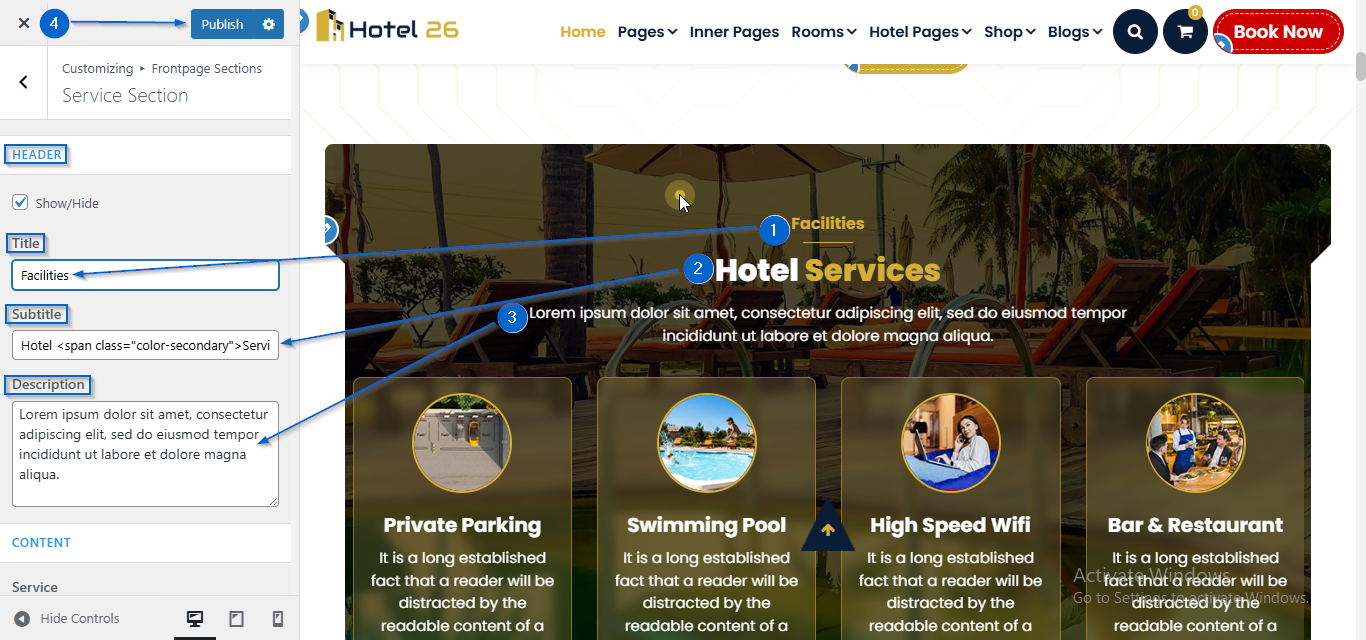
- Use the Title, Subtitle, and Description options to add the section heading details.
- Click Publish
- Go to Appearance > Customize
- Open Frontpage Sections > Service Section
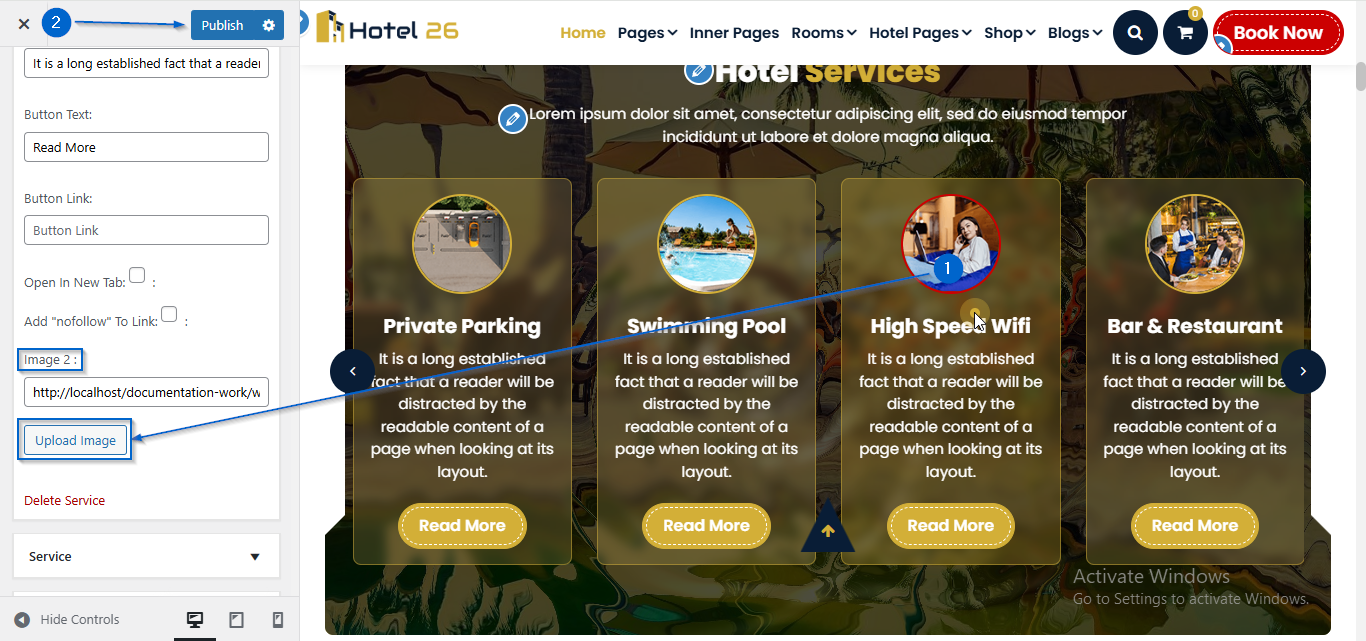
- Click to expand the Service toggle
- Click Upload Image under the Image 2 option
- Select an image of your choice
- Click Publish
- Go to Appearance > Customize
- Open Frontpage Sections > Service Section
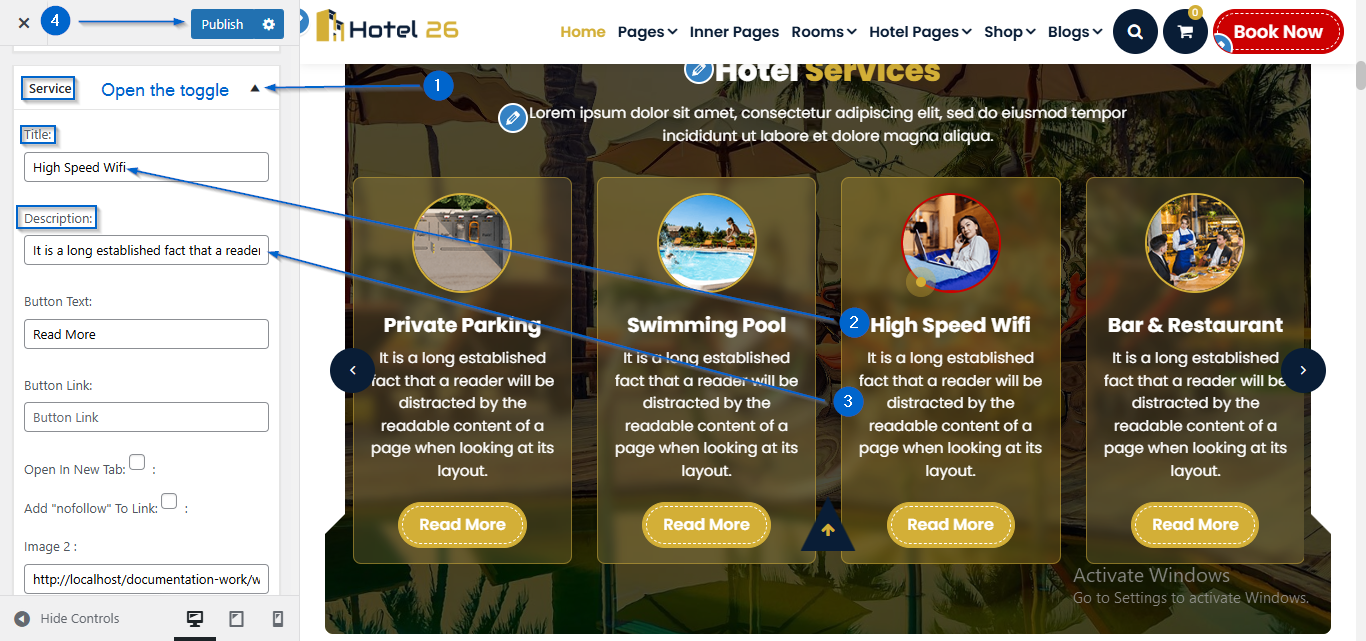
- Click to expand the Service toggle
- Use the Title, Subtitle, and Description options to edit the content
- Click Publish
- Go to Appearance > Customize
- Open Frontpage Sections > Service Section
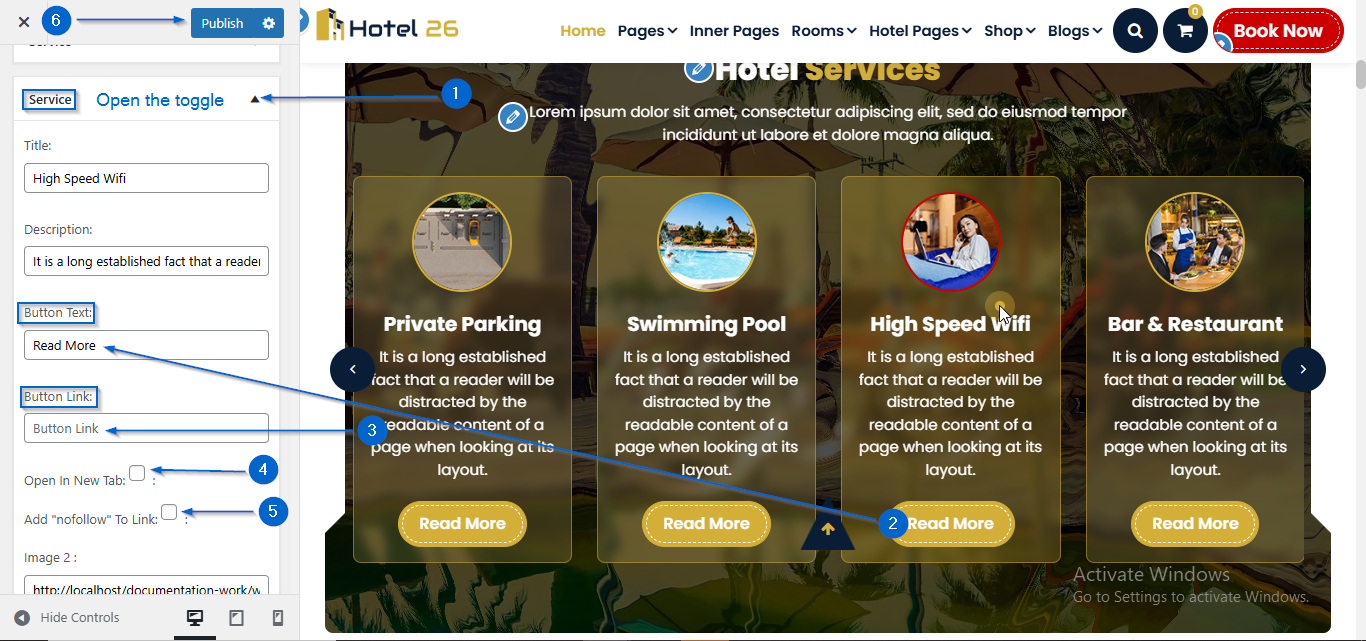
- Click to expand the Service toggle
- Enter the text in the Button Text: option and the link in the Button Link: option
- You can also configure new tab and nofollow settings from the checkbox
- Click Publish
- Go to Appearance > Customize
- Open Frontpage Sections > Service Section
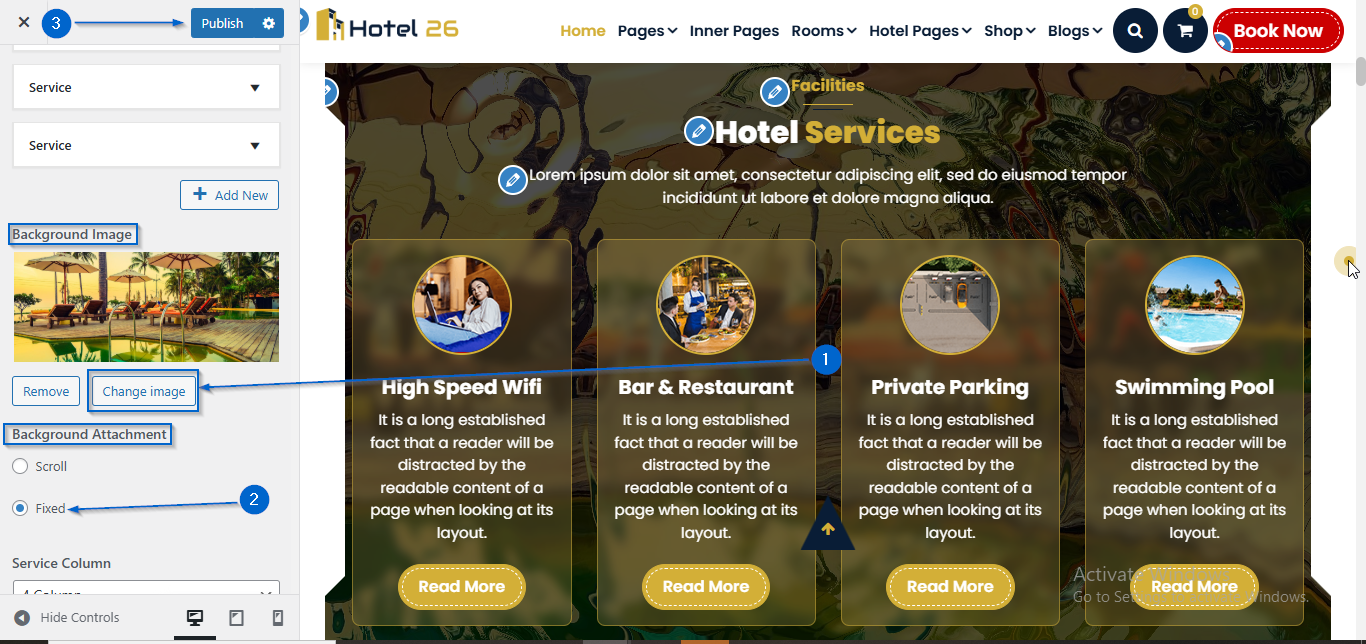
- Click Change Image under the Background Image option.
- Select an image of your choice
- You can also configure the Scroll or Fixed setting using the Background Attachment option.
- Click Publish
- Go to Appearance > Customize
- Open Frontpage Sections > Service Section
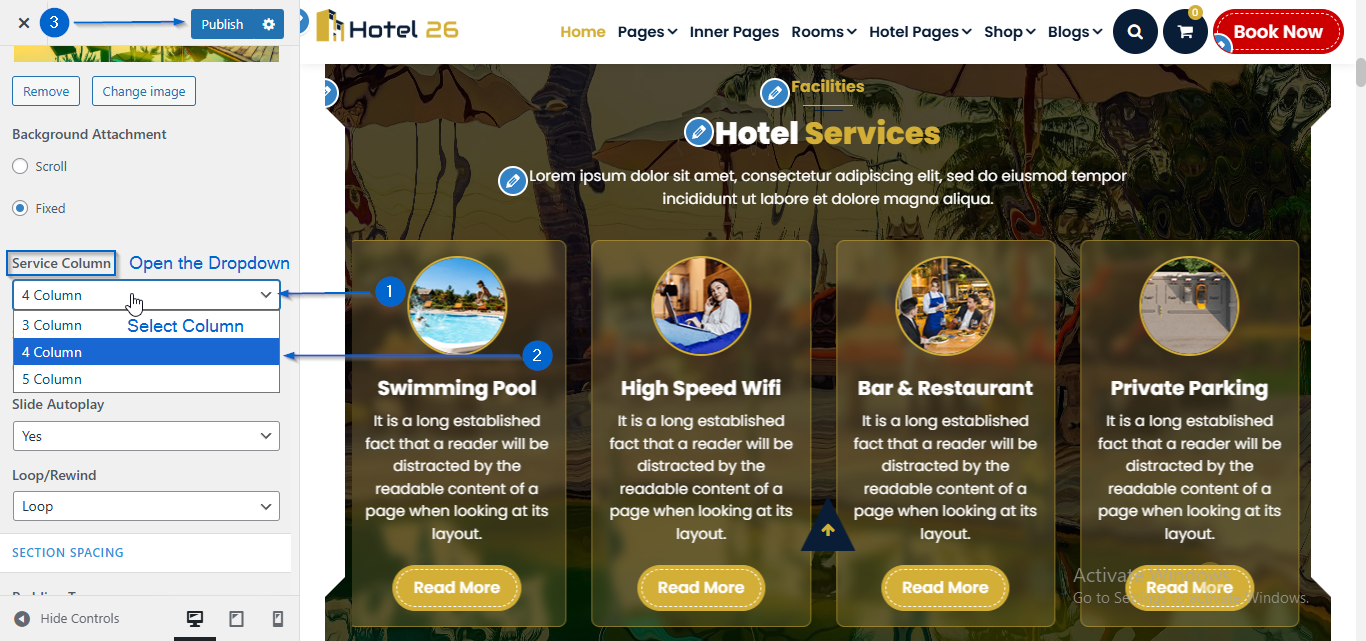
- Under the Service Column option, open the dropdown to choose the number of columns you want to display
- Click Publish
- Go to Appearance > Customize
- Open Frontpage Sections > Service Section
- Now, using the Overlay Enable? checkbox option, you can choose whether to display the overlay or not.
- You can adjust the Overlay Opacity using the opacity slider.
- From the Overlay Color option, you can choose the color.
- Click Publish
