
This section allows you to manage and customize the Breadcrumb Section of your website.You can control the visibility, content, and layout using the available theme options.
Important :
- Make sure you are logged in to your WordPress Dashboard before following the steps below.
- Go to Appearance > Customize
- Open General > Page Breadcrumb
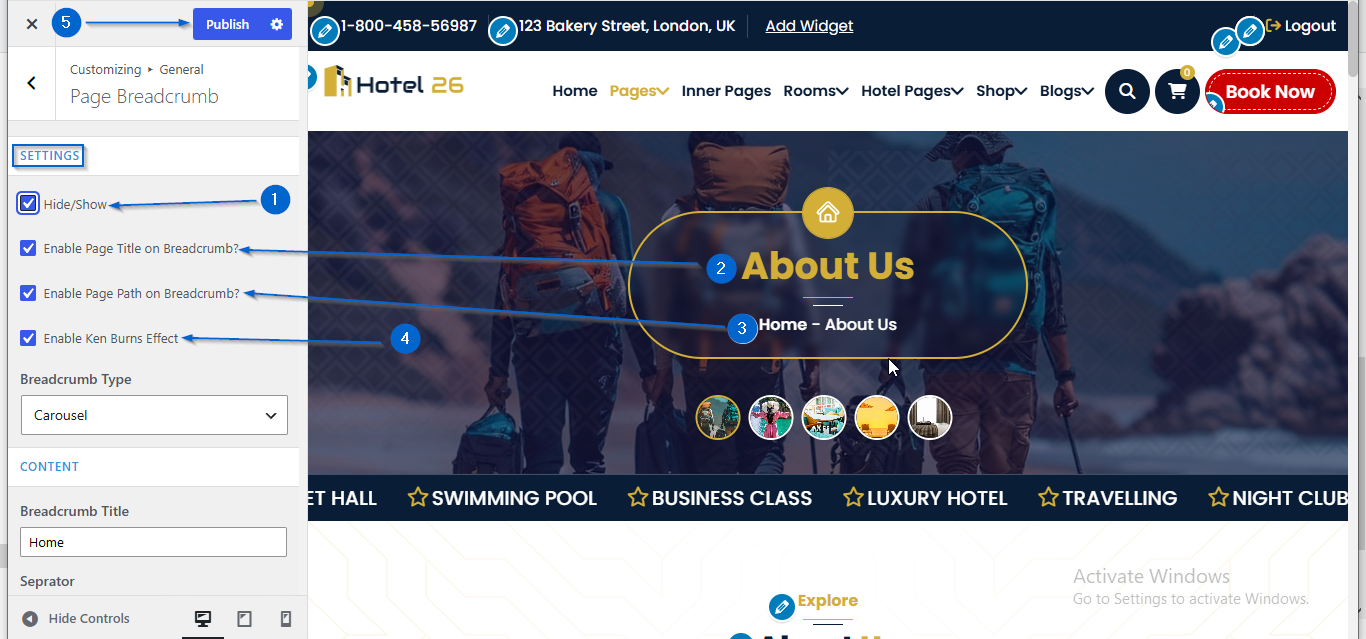
- Here in the SETTINGS option , you will find various Checkboxes.
(a) Hide/Show: use it to Display or Hide the Section.
(b) Enable Page Title on Breadcrumb? : Use it to display or hide the Title.
(c) Enable Page Path on Breadcrumb ? : Use it to display or hide Path.
(d) Enable Ken Burns Effect : Use it to display or hide Ken Burns Effect. - Click Publish
- Go to Appearance > Customize
- Open General > Page Breadcrumb
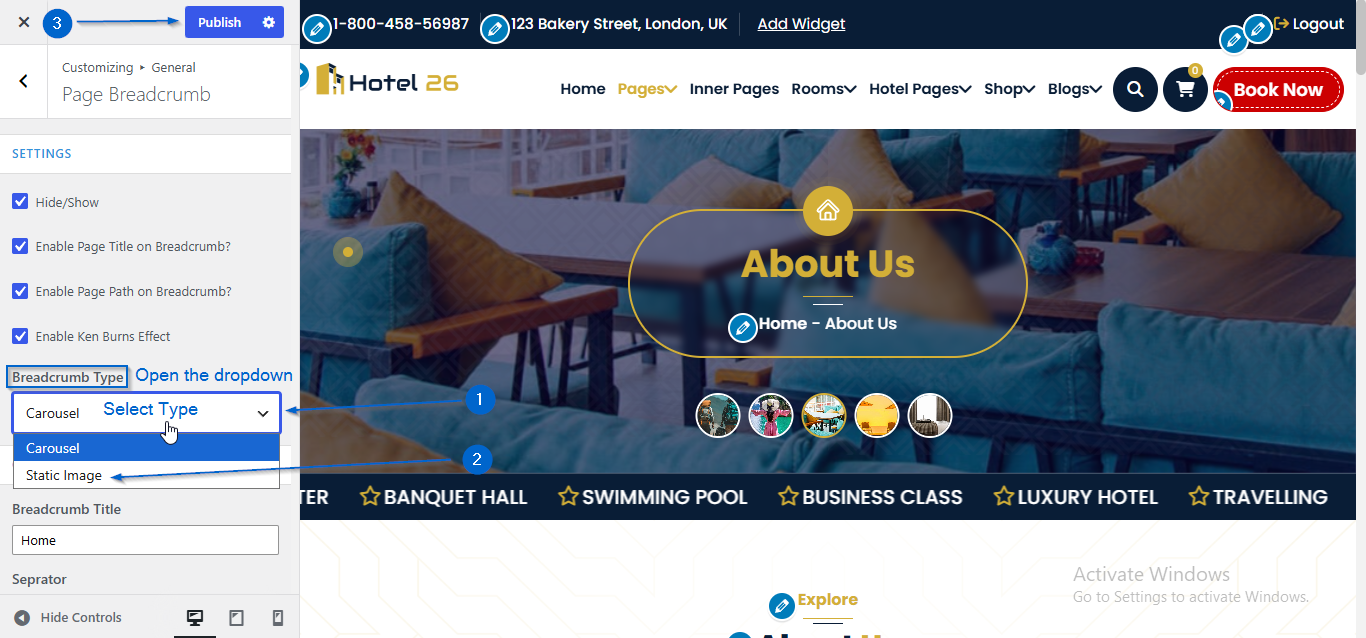
- Use the Breadcrumb Type dropdown to choose the breadcrumb display type
(a) Carousel : Displays the breadcrumb as a slider.
(b) Static Image : Displays a single static image instead of a slider. - Click Publish
- Go to Appearance > Customize
- Open General > Page Breadcrumb
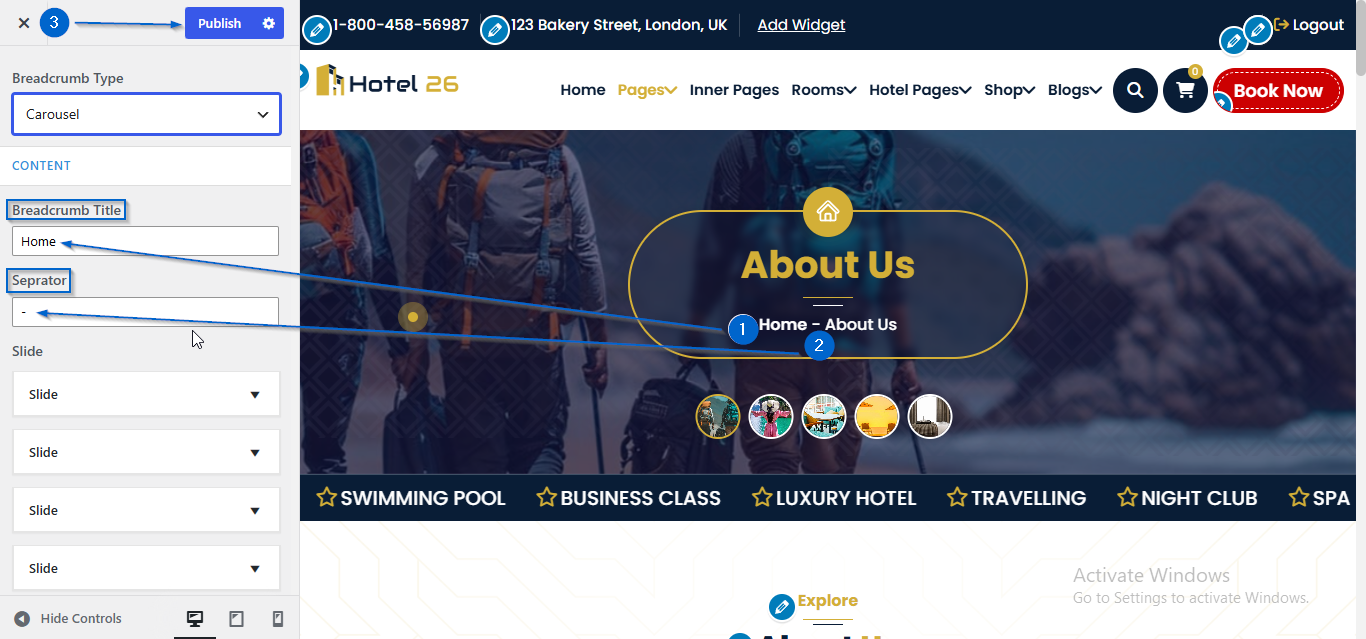
- Use the Breadcrumb Title and Seprator option to edit the content
- Click Publish
- Go to Appearance > Customize
- Open General > Page Breadcrumb
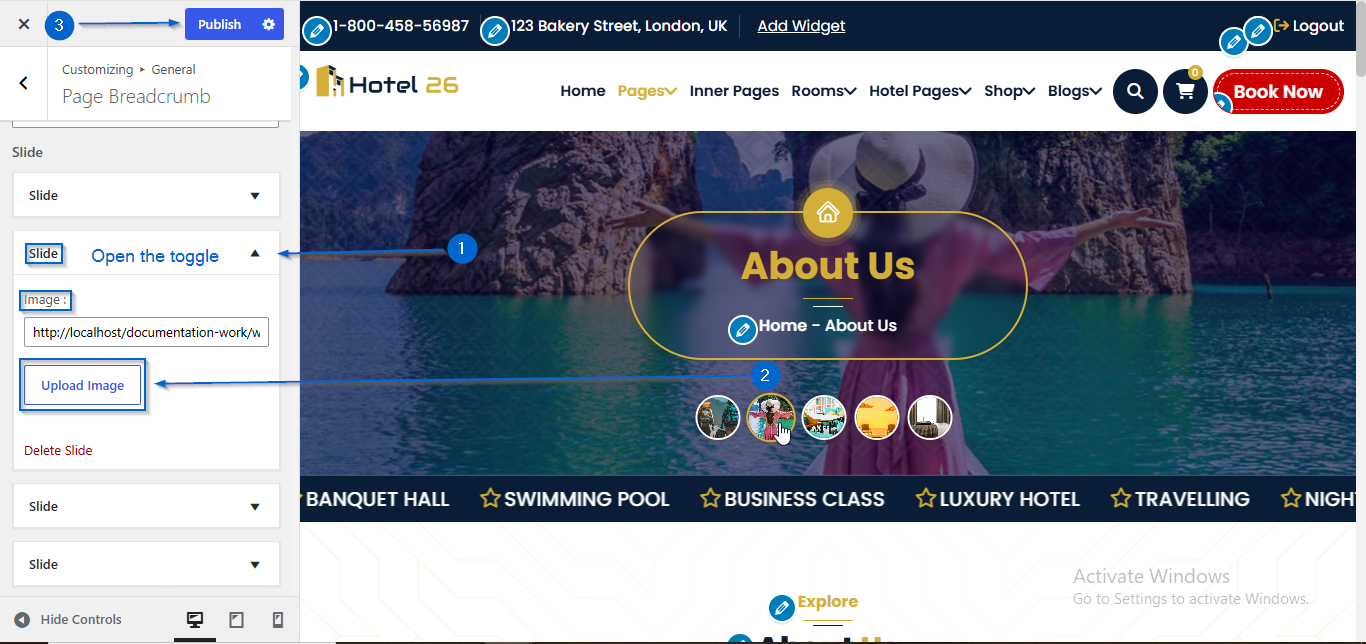
- Click to expand the Slide toggle
- Click Upload Image under the Image : option
- Select an image of your choice
- Click Publish
Note: The slider image and option will appear only when Carousel is selected from the Breadcrumb Type dropdown
- Go to Appearance > Customize
- Open General > Page Breadcrumb
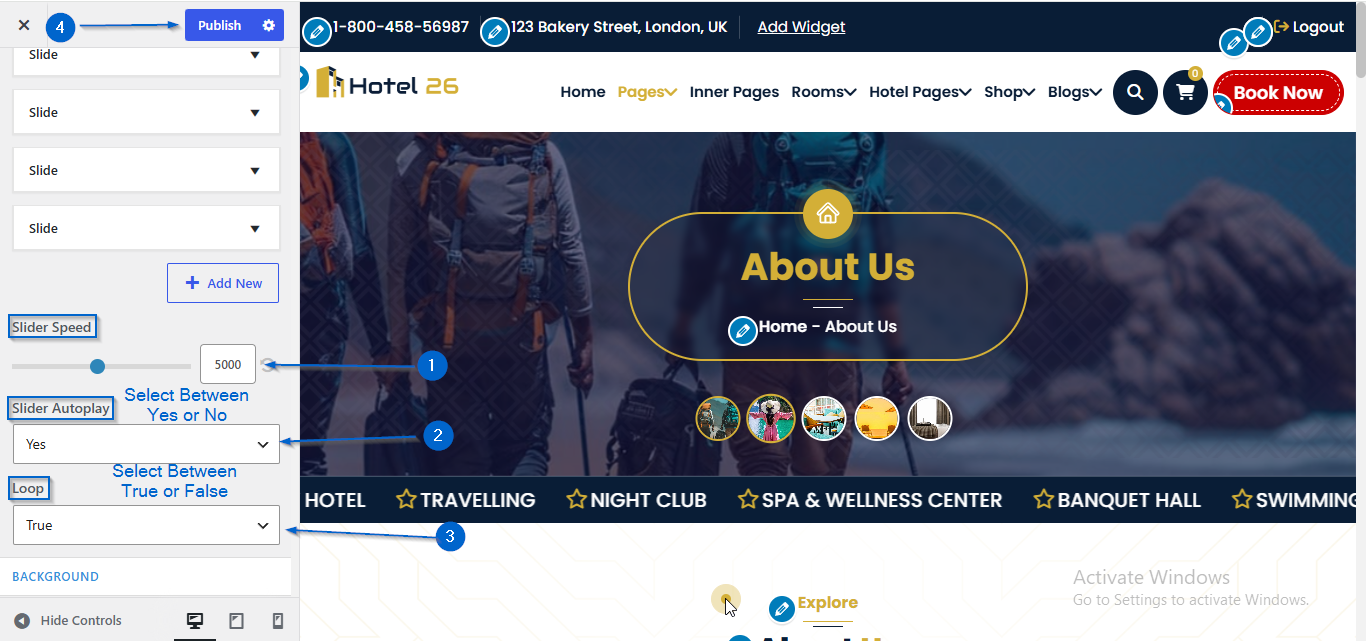
- Adjust the speed using the Slide Speed option
- Choose Yes or No from the Slider Autoplay dropdown
- Choose True or False from the Loop dropdown
- Click Publish
Note: The Slider Behaviour settings are available only when Carousel is selected from the Breadcrumb Type dropdown.
- Go to Appearance > Customize
- Open General > Page Breadcrumb
- Click Change Image under the Background Image option
- Select an image of your choice
- You can also configure the Scroll or Fixed setting using the Background Attachment dropdown
- Click Publish

- Go to Appearance > Customize
- Open General > Page Breadcrumb
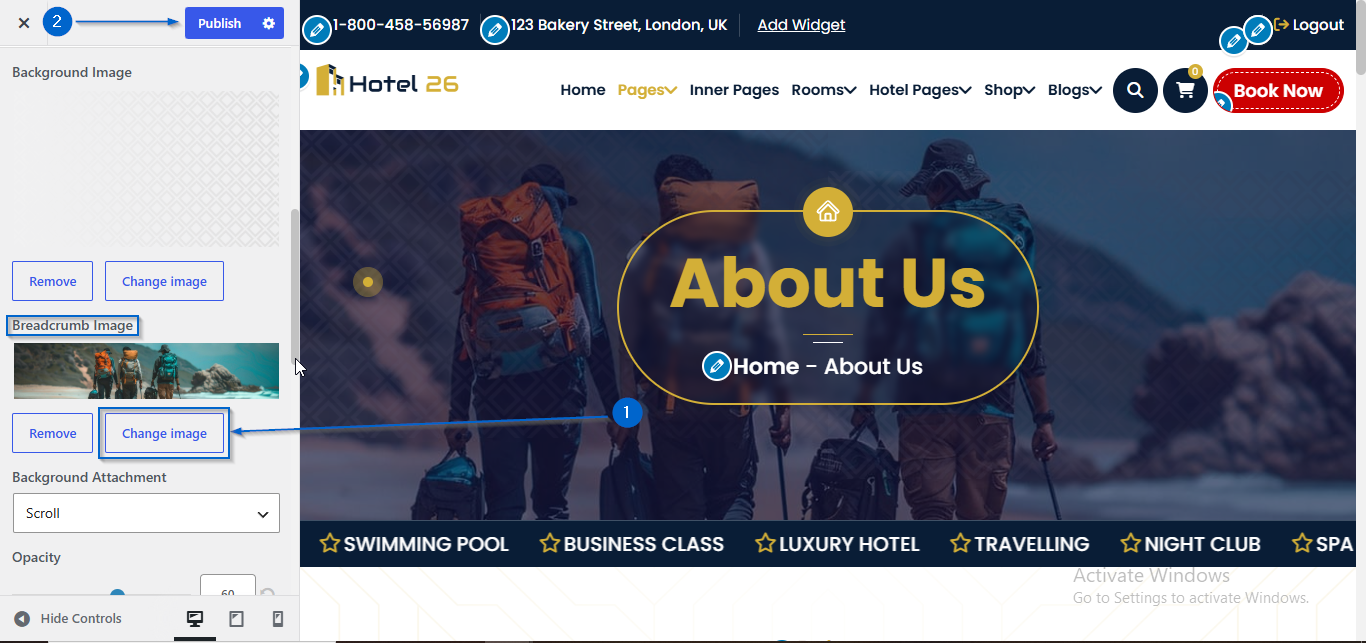
- Click Change Image under the Breadcrumb Image option
- Select an image of your choice
- Click Publish
Note: The slider image and option will appear only when Carousel is selected from the Breadcrumb Type dropdown
- Go to Appearance > Customize
- Open General > Page Breadcrumb
- Use the Title Size and Content Size option to adjust the font size
- Click Publish

- Go to Appearance > Customize
- Open General > Page Breadcrumb
- Use the Show/Hide option to configure the visibility
- Click Publish